# Regular Expressions ## Just the Basics --- # Regular expressions ## What are they? Regular expressions are a way to **match patterns in text**. If you have used wildcard searching such as `lov*` to match `love`, `loving`, `lover`, or `loved`, you already know the basic idea. --- 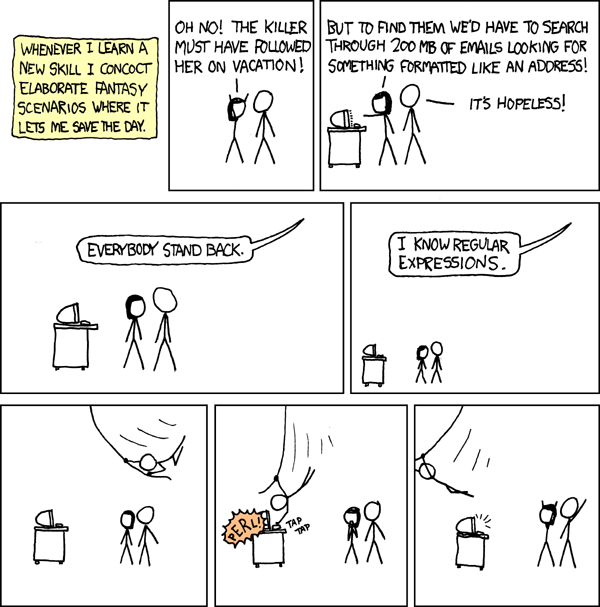 [XKCD comic on regex](https://xkcd.com/208/) --- # Where can I use regex? - OpenRefine - LibreOffice Calc and other spreadsheet programs - Command line tools such as `grep` - Most programming languages, including Python, Perl, Java, and JavaScript - Text editors such as Visual Studio Code, BBEdit, and vi/vim --- # How do I use regex? Like a normal search box, you type what you want to find. But with regex, you can also type **special characters** that let you describe a pattern rather than a single literal string. Instead of just searching for text, you can match things like: - a digit - a word boundary - any whitespace character - three letters in a row - a line that ends with punctuation --- # Boundaries - `^` start of a string or line - `$` end of a string or line - `\b` word boundary --- # Basic pattern characters - `.` any character - `|` match either pattern on the left or pattern on the right Examples: - `cat|dog` matches `cat` or `dog` - `.` matches any single character - e.g., `l.v.` matches `love`, `live`, `lava` --- # Character classes Square brackets create a **character class**. A character class matches **one character** from the set or range you specify. - `[abc]` one character: `a`, `b`, or `c` - `[a-z]` one lowercase letter from `a` to `z` - `[A-Z]` one uppercase letter from `A` to `Z` - `[a-zA-Z]` one uppercase or lowercase letter - `[0-9]` one digit from `0` to `9` - `[^abc]` one character that is **not** `a`, `b`, or `c` - `[^a-z]` one character that is **not** a lowercase letter from `a` to `z` --- # Character classes ## Shorthand classes - `\s` any whitespace character - `\S` any non-whitespace character - `\d` any digit - `\D` any non-digit character - `\w` any word character - `\W` any non-word character If you know your text contains only ordinary spaces, you can sometimes type a literal space instead of `\s`. --- # Escaping characters Some characters have a special meaning in regex. If you want to match one of those characters literally, you usually **escape** it with a backslash. Examples: - `\\` matches a literal backslash - `\.` matches a literal period - `\*` matches a literal asterisk - `\?` matches a literal question mark - `\/` may be needed in some tools to match a literal slash --- # Quantifiers Quantifiers tell regex **how many times** something may occur. - `a?` 0 or 1 `a` - `a*` 0 or more `a` - `a+` 1 or more `a` - `a{3}` exactly 3 `a` characters in a row - `a{3,}` 3 or more `a` characters in a row - `a{3,6}` between 3 and 6 `a` characters in a row --- # Quantifiers ## Important example - `.` means “any single character” - `.*` means “zero or more of any character” So `.*` can match a very large amount of text. --- # Testing tools [Regex101](https://regex101.com/) [Regexr](https://regexr.com/) --- # Examples Match a single whitespace character at the end of a line: - `\s$` - `\s{1}$` Match one or more whitespace characters at the end of a line: - `\s+$` Match zero or more whitespace characters at the end of a line: - `\s*$` --- # Examples Match one or more whitespace characters at the beginning of a line: - `^\s+` Match `/ ` at the end of a line: - `\/\s$` --- # Examples Match the days of the week that begin with `T`: - `^T.*day$` assuming each day is on its own line - `T[a-z]*day\b` assuming the days appear in a longer string of text --- # Examples Match the days of the week that begin with `T`: - `^T.*day$` assuming each day is on its own line - `T[a-z]*day\b` assuming the days appear in a longer string of text **The above examples also match `Today`.** - **better** `T(ues|hurs)day\b` --- # Examples Match the letters `a`, `b`, or `c` wherever they occur: - `[abc]` Try it on: `January February March April May June July August September October November December` --- # Examples Match the literal lowercase sequence `abc`: - `abc` Try it on: `January February March April May June July August September October November December abcdefghijklmnopqrstuvwxyz ABCDEFGHIJKLMNOPQRSTUVWXYZ` --- # Examples Match `abc` or `ABC`: - `abc|ABC` A more elegant version in many tools is to use a case-insensitive option, but this simple pattern works for demonstration. --- # Examples `[ab]{2}` matches any two-character sequence made of `a` and `b`: - `aa` - `ab` - `ba` - `bb` It does **not** match: - `ac` - `bc` - `cc` --- # Examples `abc{1,3}` matches: - `abc` - `abcc` - `abccc` In the string `abc abcc abccc abcccc`, `abc{1,3}` matches: - `abc` - `abcc` - `abccc` - and the first four characters of `abcccc` --- # Examples To avoid matching only part of a longer word, add a word boundary: - `abc{1,3}\b` In the string `abc abcc abccc abcccc`, this matches: - `abc` - `abcc` - `abccc` but not `abcccc` --- # Examples `a(bc){1,2}` matches: - `abc` - `abcbc` `a(bc|cb)` matches: - `abc` - `acb` --- ### Examples: match email addresses `[A-Za-z0-9._%+-]+@[A-Za-z0-9.-]+\.[A-Za-z]{2,}` ### Examples: match US-style dates, e.g., 4/30/05 `\b(?:0?[1-9]|1[0-2])\/(?:0?[1-9]|[12][0-9]|3[01])\/(?:\d{2}|\d{4})\b` --- # Further reading [Wikipedia: Regular expression](https://en.wikipedia.org/wiki/Regular_expression) [Regular-Expressions.info Quick Start](https://www.regular-expressions.info/quickstart.html) [Jonny Fox, Regex tutorial](https://medium.com/factory-mind/regex-tutorial-a-simple-cheatsheet-by-examples-649dc1c3f285) [Loyola Marymount explanation of regexes](https://cs.lmu.edu/~ray/notes/regex/)